 Recap Studio
Backgrounds, camera and shortcuts
These settings decide how the finished video looks. They’re all in the editor’s sidebar, and you see every change in the preview straight away.
Background
Open the Background panel with the picture icon at the top of the sidebar.
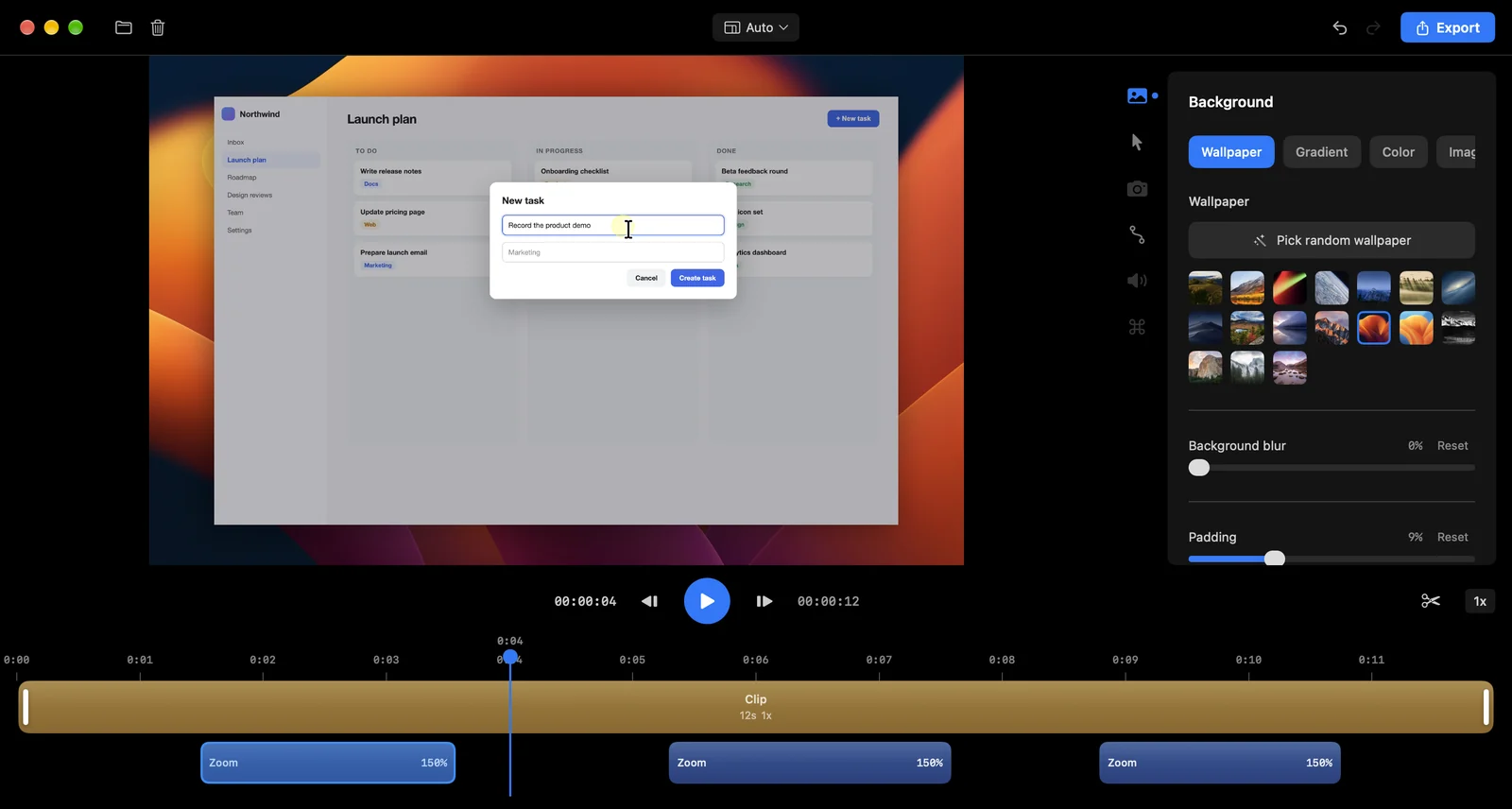
- Wallpaper: choose one of 17 built-in wallpapers, or click Pick random wallpaper.
- Gradient: two colours of your own, or one of 8 presets.
- Color: a single solid colour.
- Image: your own picture. Click Browse… to choose it.
Then shape the frame:
- Padding: space between the recording and the edge, up to 35%.
- Rounded corners: round the recording’s corners, up to 50 px.
- Shadow: how strong the shadow is. Advanced shadow settings adds distance, angle and blur.
- Background blur: soften a wallpaper or image. It isn’t used in GIF exports.
Camera bubble
If you recorded your camera, open the Camera panel (the camera icon).
- Position: Top Left, Top Right, Bottom Left or Bottom Right. You can also drag the camera anywhere in the preview.
- Size, Roundness (all the way up makes a circle) and Shape: Square, Horizontal, Vertical or Original.
- Mirror Horizontally and Crop Zoom to frame your face.
- Keep Face Centered follows your face as you move. It zooms the camera to 2x so there’s room to move, and ignores small movements like talking. If you leave the frame, it eases back to the middle.
- Hide Camera to leave it out of the video.
Show keyboard shortcuts
Open the Shortcuts panel (the ⌘ icon) and turn on Show shortcuts. Shortcuts you pressed while recording appear as labels in the video, for about a second and a half each.
- Shortcut labels size makes them bigger or smaller.
- Show single key shortcuts also shows single keys. For this, Record single key presses must be on in Recording settings before you record.
Aspect ratio
Click the ratio button at the top of the editor (it says Auto at first) to reshape the video for where you’ll post it.
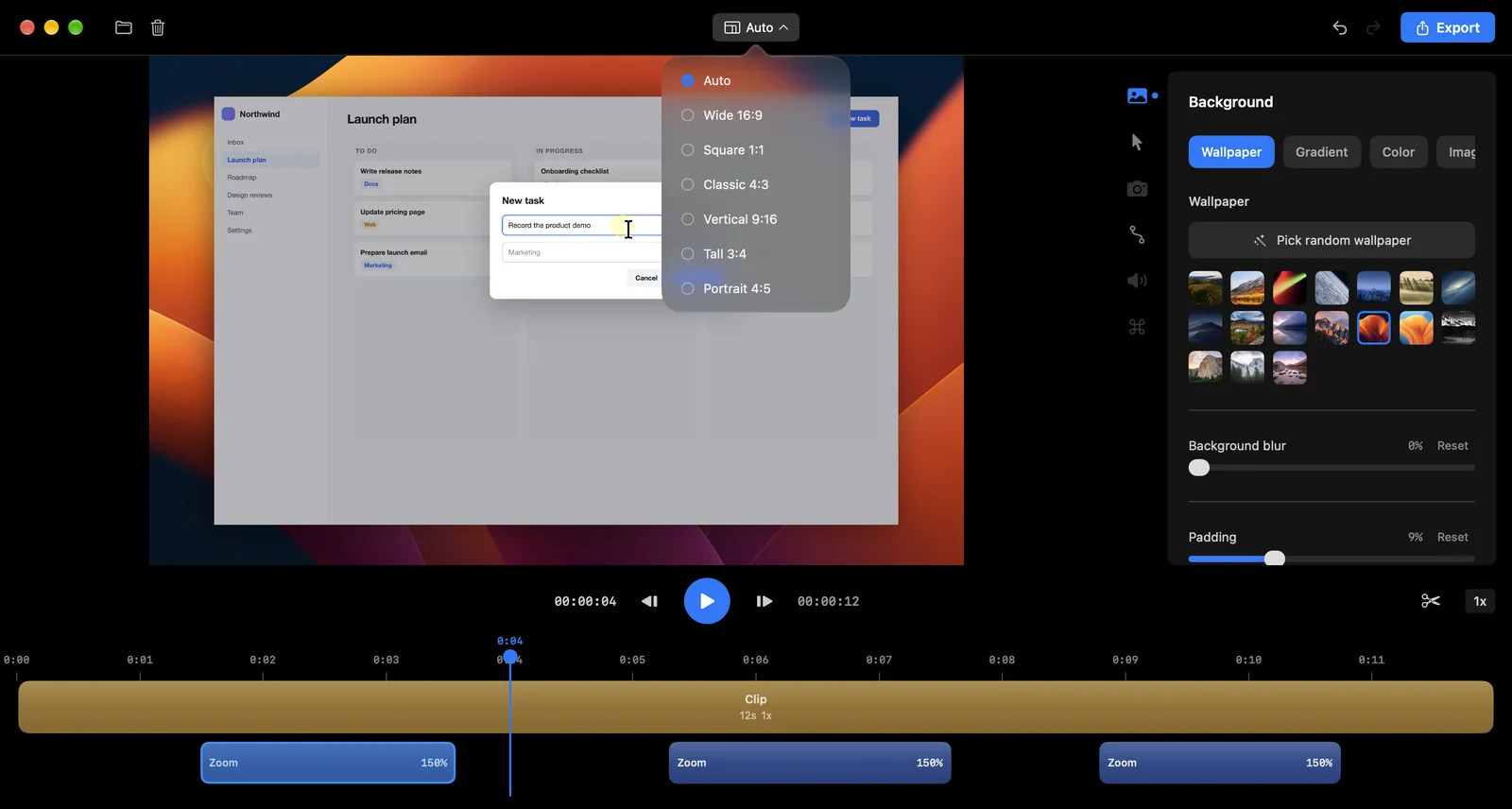
| Option | Good for |
|---|---|
| Auto | Keeps your recording’s own shape |
| Wide 16:9 | YouTube, websites, presentations |
| Square 1:1 | Social feeds |
| Classic 4:3 | Docs and slides |
| Vertical 9:16 | Reels, TikTok and Shorts |
| Tall 3:4 and Portrait 4:5 | Instagram and LinkedIn posts |